


4 Ways AI Can Help You Sew Better (Free Tools & Real Prompts)
✦ AI Tools & Tips
From choosing your fabric to troubleshooting a tricky seam — AI is quietly becoming every sewist’s most useful companion. Here’s how.
You don’t need to be a tech person to use AI for sewing. You just need to know what to ask and where to ask it. Whether you’re a complete beginner or an experienced sewist, these free tools can save you time, help you avoid costly mistakes, and unlock projects you never thought you’d be able to tackle. Here are 4 ways AI can genuinely help you sew better — with real examples and prompts you can copy right now.
1. See Your Fabric on the Model Before You Cut
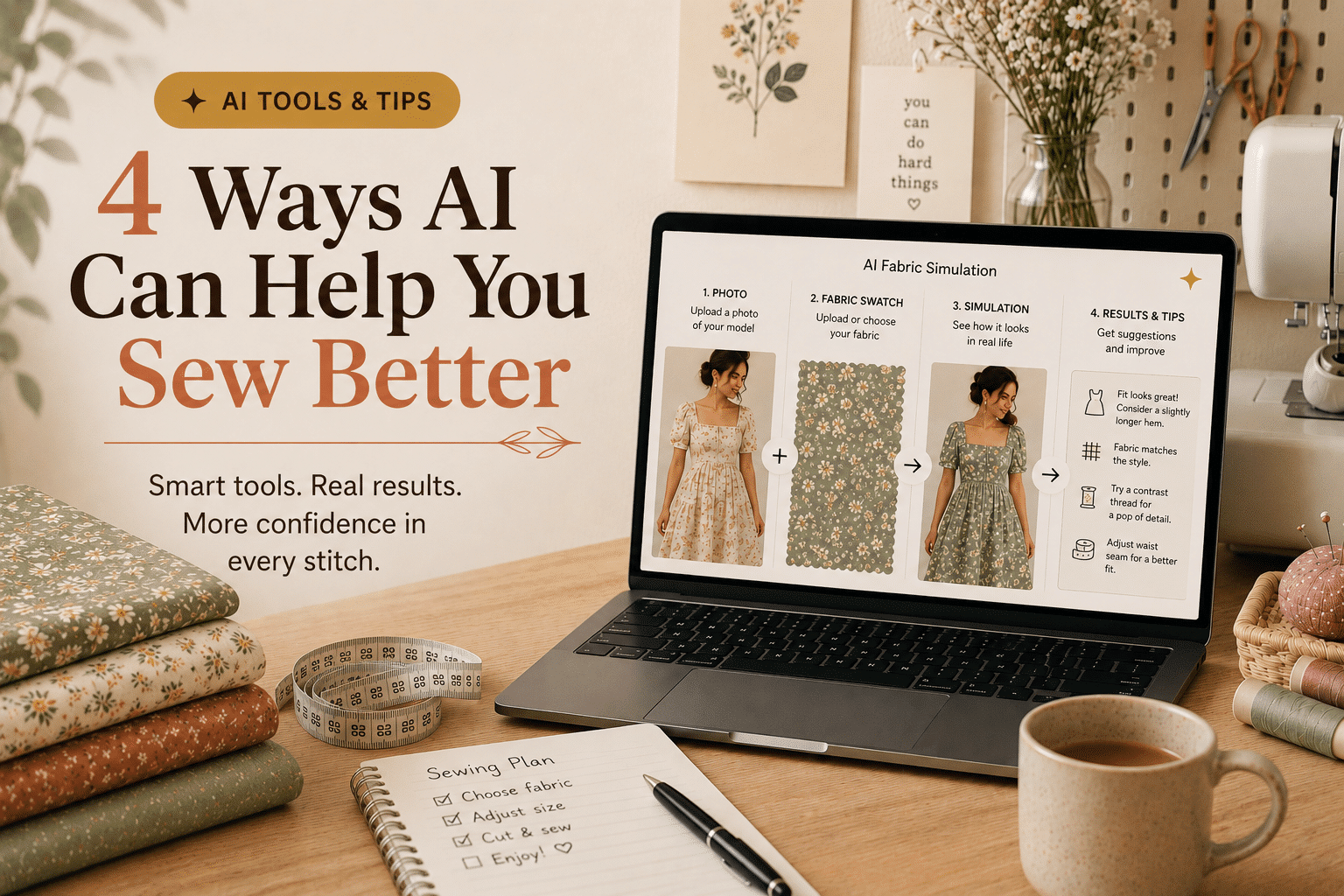
This is the trick that changes everything. Upload two photos at once into ChatGPT — one of the model wearing the pattern, and one of your fabric swatch. The AI simulates what the finished garment will look like in your exact fabric. No guessing, no regrets after cutting.
👗
Photo 1
Model in the pattern
+
🧵
Photo 2
Your fabric swatch
→
✨
Simulation
Garment in your fabric
▶ How to do it — ChatGPT (free)
- Go to chat.openai.com and sign in for free
- Click 📎 and select both photos at the same time
- Type: “The first image shows a garment. The second is my fabric. Can you simulate what the finished garment would look like in this fabric?”
✦ Tip: Use the product photo from my shop as Photo 1 — it shows the silhouette perfectly. Photograph your fabric flat on a table in natural daylight for Photo 2.
2. Find Out If Your Fabric Is Right for the Pattern
Not sure if your fabric will work? Photograph it and ask AI. Tools like Gemini can analyse a fabric photo and tell you whether the weight, drape, and stretch are suitable for a specific style — saving you from an expensive mistake at the cutting table.
▶ Prompt to copy (Gemini — free)
“I’ve attached a photo of my fabric. I want to sew a structured midi dress with a defined waist. Is this fabric suitable? What drape and behaviour should I expect? Any cutting or pressing tips for this type of fabric?”
✦ Tip: Also ask: “What alternative fabrics would work better if this one isn’t ideal?” — AI will give you a list with reasons.
3. Troubleshoot Fit Problems on the Spot
Your toile is pulling at the bust. There are diagonal wrinkles from the shoulder. The waist sits too high. Sound familiar? Instead of spending hours searching YouTube, describe the problem to AI and get a diagnosis in seconds — with the exact alteration to fix it.
▶ Prompt to copy (Claude or ChatGPT)
“I’ve sewn a toile and I have diagonal drag lines from the bust point toward the armhole, and the neckline gapes slightly at the front. What is causing each issue and how do I fix it on the pattern?”
✦ Tip: Take a photo of your toile on a dress form or on yourself and upload it — the AI can often identify fit issues directly from the image.
4. Get Inspired — Colour, Fabric & Styling Ideas
Staring at a pattern and not sure what fabric colour to choose? Or how to style the finished piece? AI is a brilliant mood board assistant. Describe your wardrobe, your style, your lifestyle, and it will suggest fabric choices, colour palettes, and even how to wear the finished garment.
▶ Prompt to copy (ChatGPT or Gemini)
“I’m making a midi wrap dress. My wardrobe is mostly neutrals — cream, camel, olive. I want something I can wear both to work and on weekends. Suggest 3 fabric and colour combinations that would suit this lifestyle, and how I could style each one.”
✦ Tip: Ask Ideogram.ai to generate an image of each combination so you can see them visually before committing. It’s free and takes 30 seconds.
AT A GLANCE — 4 WAYS AI CAN HELP YOU SEW
①
Fabric simulation — see your fabric on the model before cutting
②
Fabric check — is your fabric right for this pattern?
③
Fit troubleshooting — diagnose and fix toile problems fast
④
Style & inspiration — colour palettes, fabric combos, styling ideas
Ready to try it with one of my patterns?
All my PDF patterns are high-resolution and AI-ready. Each one comes with a detailed cutting guide so you have everything you need to get started.
The Bottom Line
AI won’t sew for you — and that’s not the point. The joy of making something with your own hands is irreplaceable. But it will take away the moments of doubt, the costly fabric mistakes, and the hours lost searching for answers. Think of it as having a very patient, very knowledgeable sewing friend available 24/7.
Start small: next time you’re about to cut into a fabric you’re not 100% sure about, photograph it and ask. You might be surprised how much it helps.
Which of these 4 uses are you most excited to try?